Wi-Fi
NoCap
Connected · open the pass page
Home_5G
Hotel Guest
Airbox-7A21
Step 1
Join NoCap Wi-Fi
Connect to the NoCap network at any hotspot. The pass page opens on its own.
Pick a pass, approve it on your phone and you're online. No contracts, no scratch cards, no queue.
Connect to the NoCap network at any hotspot. The pass page opens on its own.
Choose a pass and approve the prompt with your MTN MoMo or Orange Money PIN.
You're online right away, and your pass works at every NoCap hotspot until it ends.
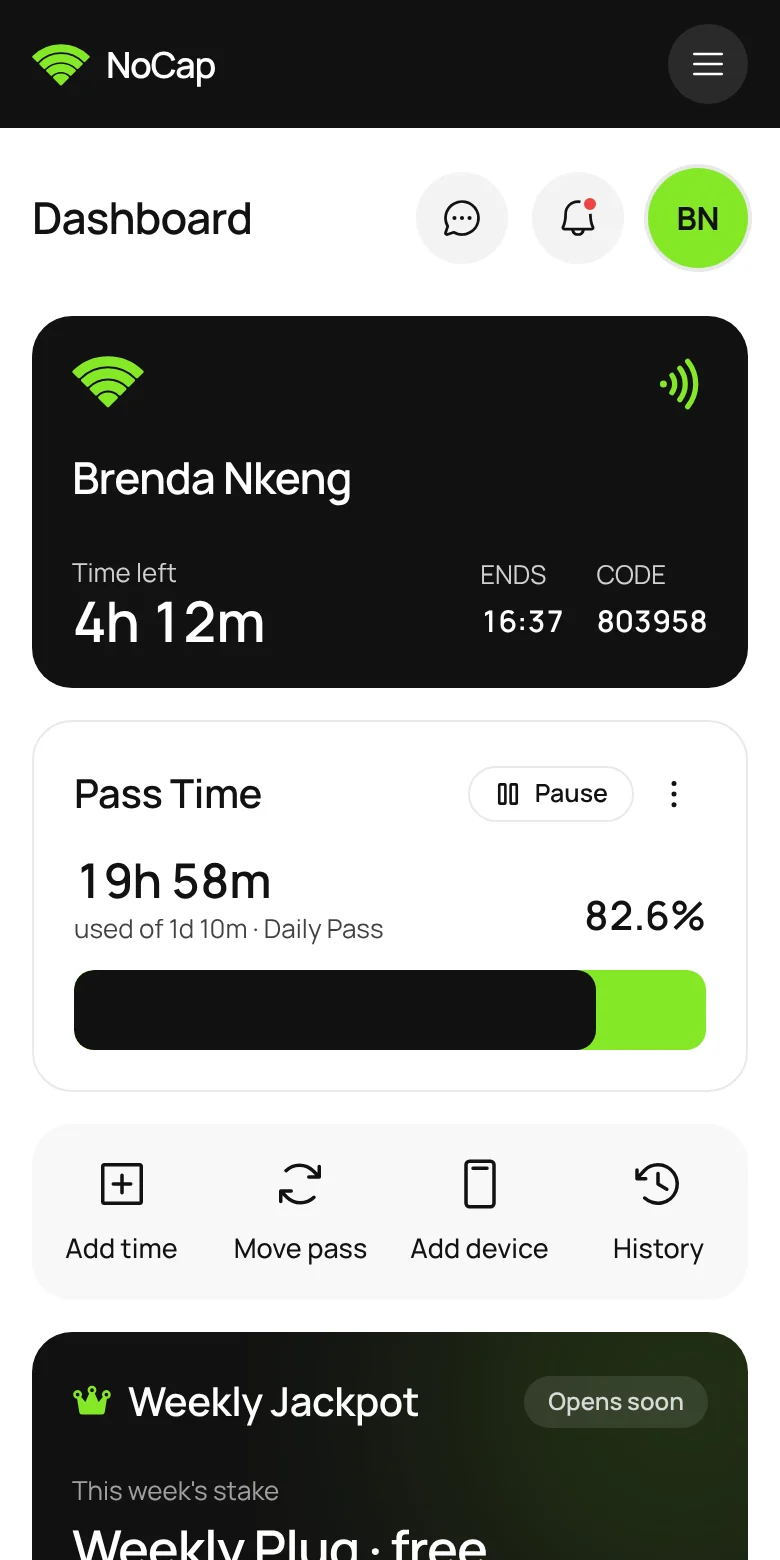
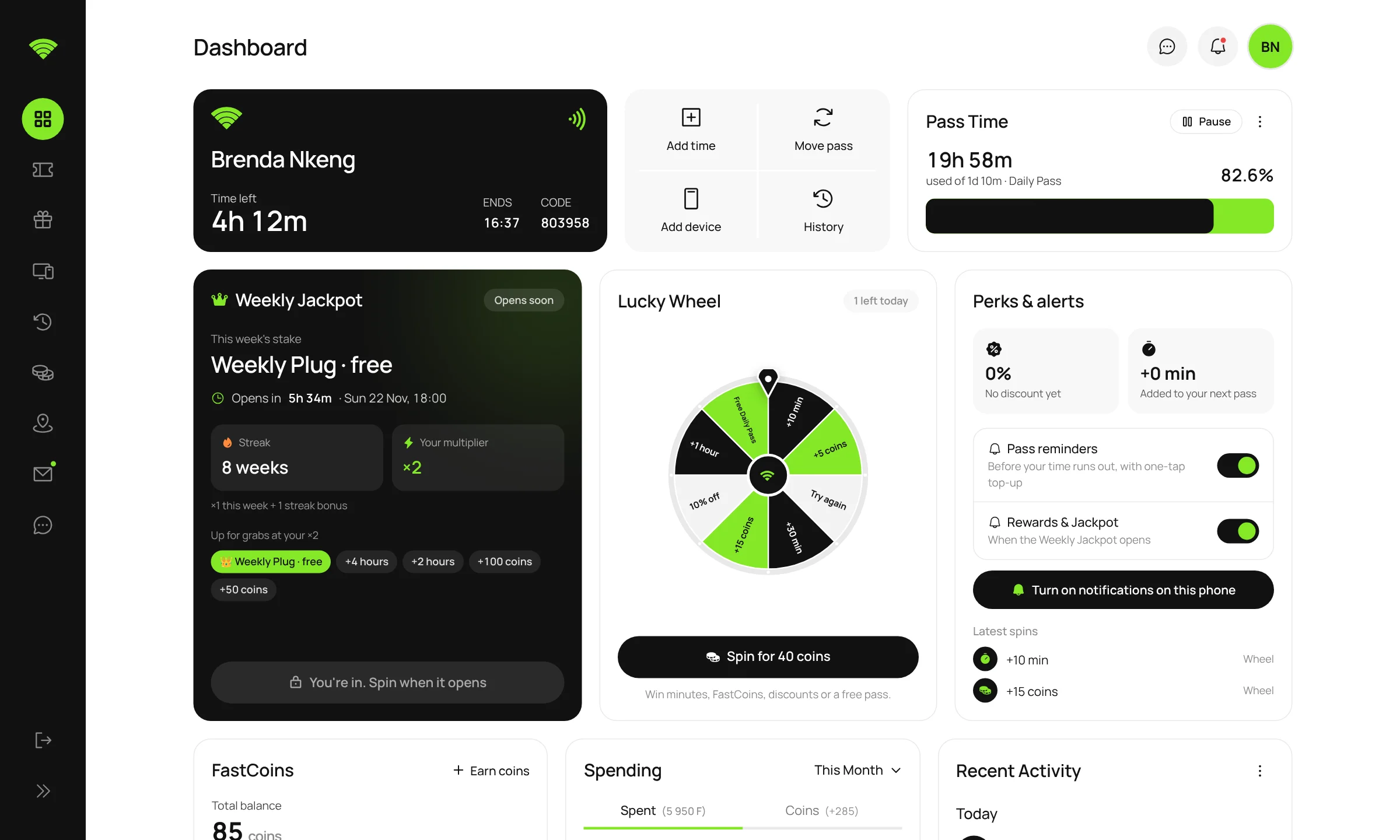
The NoCap dashboard shows how long your pass has left, what you've spent and the coins you've earned.
Time left, speed and devices on one screen, updated every few seconds.
Every hotspot runs on Starlink with 4G backup, and your plan speed is protected.
See exactly what you spent on passes this month and last.
Every pass earns coins. Save them up and swap them for a free pass.
A pass for every budget, from one hour to a full week.
A payment prompt lands on your phone. Approve it and you're in.
Walk from Molyko to Checkpoint and stay connected without paying twice.
Weekly passes cover two devices. Add another for a small fee.
Earn coins with every pass and redeem them for free time.
If the dish drops, hotspots switch to 4G automatically.
Your phone number is your login. We never sell your data.
Data bundles that run out in hours
Cyber café queues and per-hour fees
Scratch cards and hunting for agents
Evenings that crawl when everyone's online
Shared passwords and no one to call
Unlimited browsing on time-based passes
Pay from your phone in 30 seconds
Up to 15 Mbps on Starlink backhaul
One pass works at every hotspot
WhatsApp support that replies fast
Students, traders and remote workers in Buea use NoCap to study, sell and stream without counting megabytes.
I finished my whole project upload on one Daily Pass. No more data stress.
Student, UB Molyko
Paying with MoMo takes seconds. I don't need to look for scratch cards anymore.
Phone accessories trader
Night Owl is perfect for downloading my lectures while I sleep.
Nursing student
My customers ask for the Wi-Fi more than the menu now.
Snack bar owner, Checkpoint
The weekly pass on two phones saves me more than data bundles ever did.
Freelance designer
When the light went off, it switched to backup and my call didn't drop.
Remote customer support
Talk to salesDedicated lines for shops, offices and cyber cafés, with a priority lane and automatic 4G failover.
No contracts and no hidden fees. Pay with MoMo and you're online in under a minute.
Buy a code from any NoCap reseller and redeem it on the hotspot page.
Find a resellerHere's everything you need to know before your first pass.
Chat with usJoin the NoCap Wi-Fi network at any hotspot. The pass page opens automatically. If it doesn't, open any website and you'll be redirected.
MTN Mobile Money and Orange Money. You'll get a prompt on your phone; enter your PIN to approve. You can also redeem a cash code bought from a NoCap reseller.
Yes. Pay here, then connect to NoCap Wi-Fi and tap “Already paid?” with the same number. Your time starts as soon as the payment is approved.
Weekly passes include two devices: the second phone joins free with your number and pass code. On any pass you can add an extra seat for a small fee, or move your pass to a new phone with your 6-digit pass code.
Everything goes onto one pass with one code. Same speed adds time to the end. A faster pass runs first and your slower time waits, then continues by itself. Nothing is ever lost.
Yes. Your pass follows you to every NoCap hotspot until it expires, with no need to log in again.
Every hotspot runs on Starlink with a 4G backup line. If one drops, the other takes over. If a hotspot is down for long, contact us and we'll credit your time.
Pick a pass, approve it on your phone and start browsing. It takes about 30 seconds.